
Player Reports
How players can report issues and communicate with staff directly from within the game.
The monoAdmin report system provides an integrated way for players to request assistance, report bugs, or flag rule-breaking behavior without needing to leave the server.
Creating a Report
Section titled “Creating a Report”Players can open the report interface at any time using the /report command.
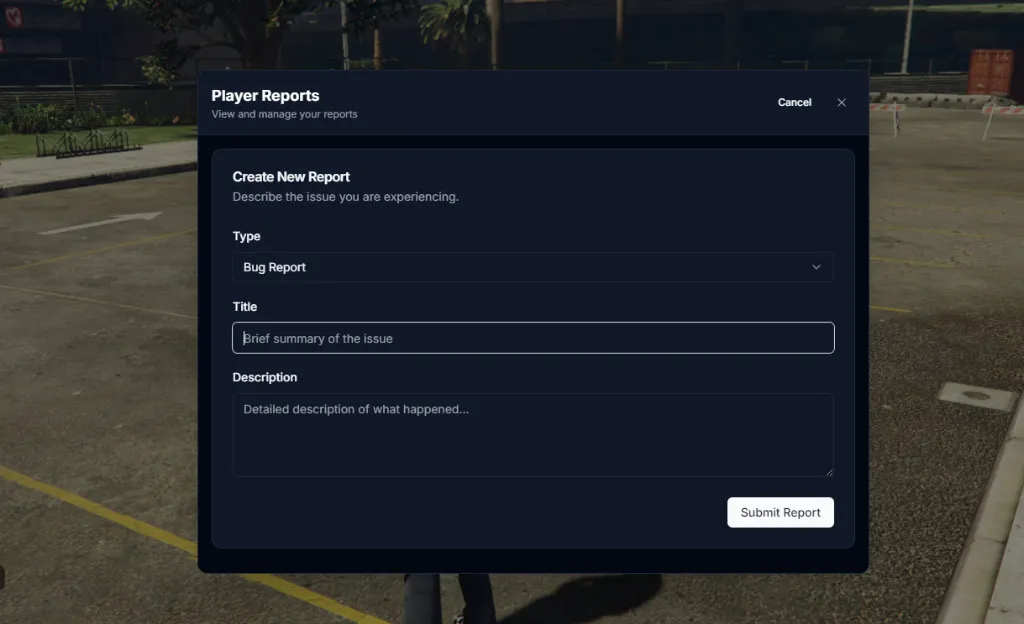
Submission Fields
Section titled “Submission Fields”- Type — Categorize your report (e.g., Bug Report, Player Report, Question, Technical Issue).
- Title — A brief, one-line summary of the problem.
- Description — Detailed information about what happened or what you need help with.
Once submitted, the report is immediately visible to all online staff members in both the In-Game Control Panel and the Web Panel.
Communicating with Staff
Section titled “Communicating with Staff”After a report is submitted, an integrated chat window is used for all communications between the player and the staff team.
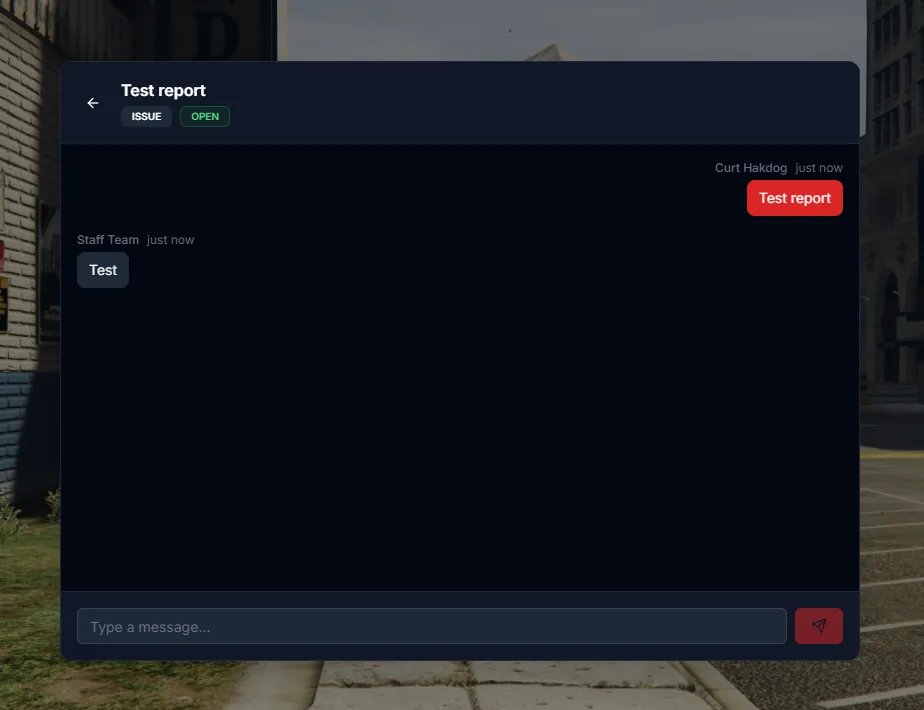
Chat Features
Section titled “Chat Features”- Real-Time Messaging — Receive updates and answer staff questions instantly.
- Status Indicators — View labels indicating if the report is Open, In-Progress, or Closed.
- Attachment Support — Staff can view telemetry and screenshots associated with your session directly through the report metadata.
Managing Your Reports
Section titled “Managing Your Reports”Players can view their active and past reports by using the /report command again. This allows you to check for updates on unresolved issues or review the history of your interactions with the staff team.