
Reports
Player ticket system for handling issues and complaints
Reports is your ticket system for handling player issues, bug reports, and complaints submitted from in-game.
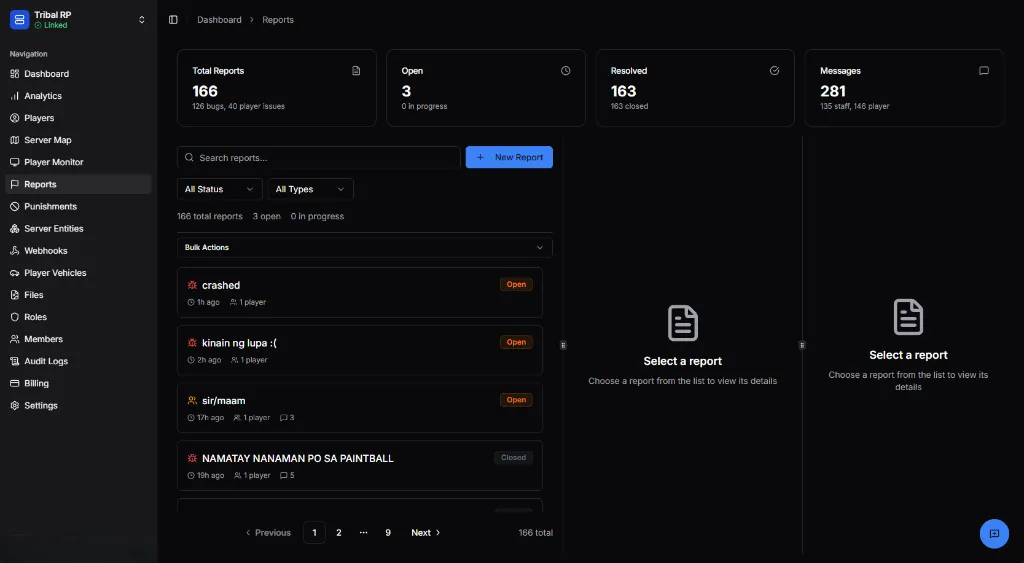
Overview Statistics
Section titled “Overview Statistics”The top bar shows key metrics:
| Stat | Description |
|---|---|
| Total Reports | All reports ever submitted (e.g., 166) |
| Open | Currently unresolved reports |
| Resolved | Closed/completed reports |
| Messages | Total messages across all reports |
Report List
Section titled “Report List”Search & Filter
Section titled “Search & Filter”- Search bar — Find reports by keyword
- Status filter — All Status, Open, In Progress, Closed
- Type filter — All Types, Bug, Player Issue, etc.
- + New Report — Create a report manually
Report Items
Section titled “Report Items”Each report shows:
- 🎫 Icon — Report type indicator
- Title — Report subject
- Time — When submitted (e.g., “1h ago”)
- Players — Number of players involved
- 💬 Count — Message count
- Status badge — Open (orange) or Closed (gray)
Report Detail View
Section titled “Report Detail View”Click a report to view its full details.
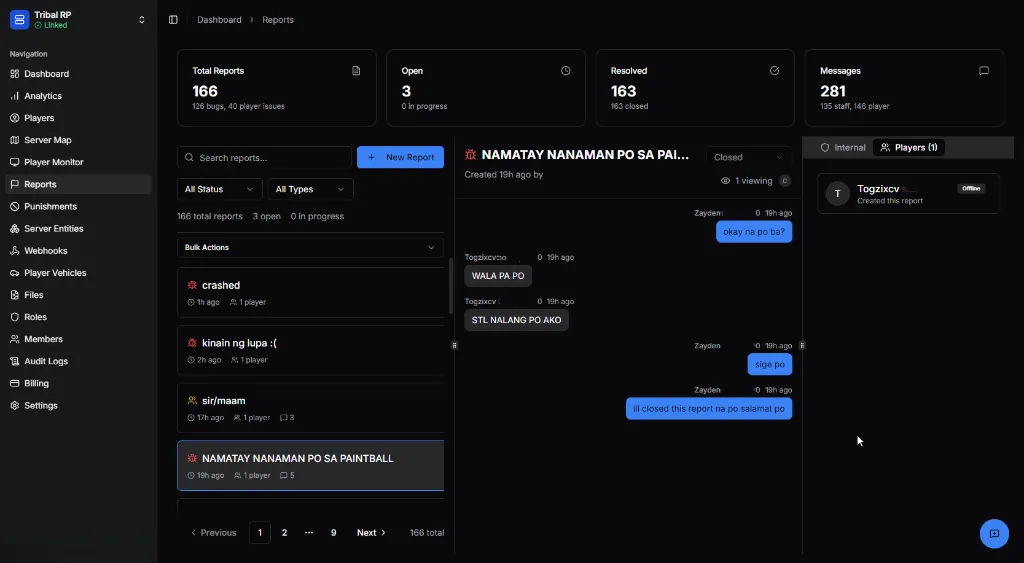
Header
Section titled “Header”- Title — Full report subject
- Status dropdown — Change status (Open, In Progress, Closed)
- 👁️ Viewing — Staff currently viewing this report
Conversation
Section titled “Conversation”The main area shows the chat thread between player and staff:
- Player messages — White/light bubbles
- Staff messages — Blue bubbles
- Timestamps — When each message was sent
- Type a message — Reply to the player
Internal Chat
Section titled “Internal Chat”Use the Internal tab for staff-only discussions.
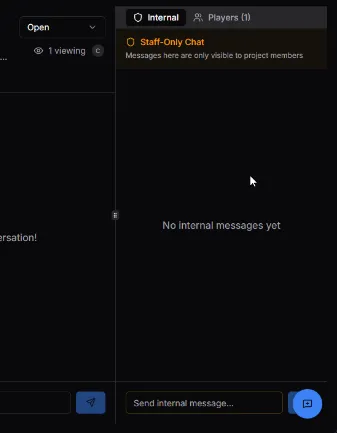
Features
Section titled “Features”- 🚫 Staff-Only Chat — Messages only visible to project members
- Send internal message — Separate input field
- Coordinate responses — Discuss before replying to player
Player Details
Section titled “Player Details”The Player Details tab shows information about reported players.
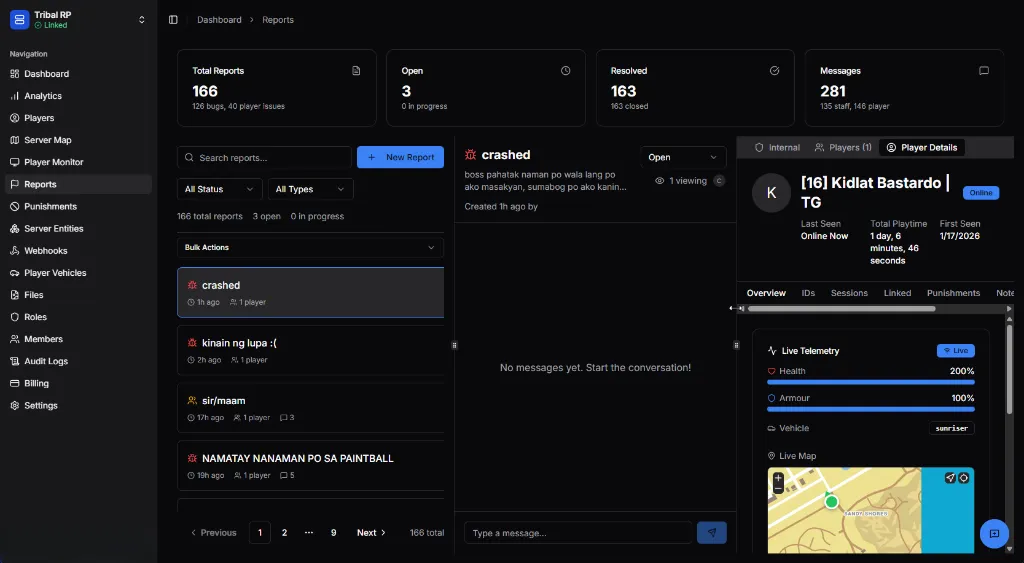
Information
Section titled “Information”- Avatar and name — Player identity
- Online status — Currently online/offline
- Last Seen — When last connected
- Total Playtime — Time on server
- First Seen — Account creation date
Quick Access
Section titled “Quick Access”- Overview, IDs, Sessions, Linked, Punishments, Notes tabs
- Live Telemetry — Health, Armour, Vehicle (if online)
- Live Map — Current location
Bulk Actions
Section titled “Bulk Actions”Manage multiple reports at once using the Bulk Actions dropdown.
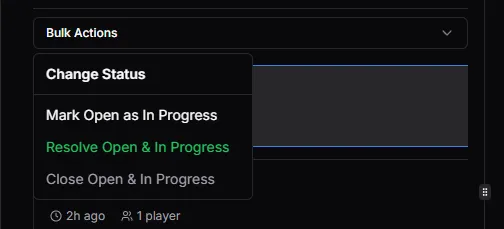
| Action | Description |
|---|---|
| Change Status | Set status for selected reports |
| Mark Open as In Progress | Batch status update |
| Resolve Open & In Progress | Close all active reports |
| Close Open & In Progress | Alternative close option |
Workflow
Section titled “Workflow”Typical Report Handling
Section titled “Typical Report Handling”- Review — Read the report and player message
- Investigate — Check player details, IDs, sessions
- Discuss — Use internal chat if needed
- Respond — Reply to player with resolution
- Close — Mark as resolved
Status Flow
Section titled “Status Flow”Open → In Progress → ClosedBest Practices
Section titled “Best Practices”- Respond promptly — Players appreciate quick acknowledgment
- Use internal chat — Discuss before responding to complex cases
- Check player history — Review sessions and punishments
- Document actions — Note what resolution was applied
- Close when resolved — Keep your queue clean