
In-Game Control Panel
Manage your staff actions and the server directly within FiveM using the integrated monoAdmin menu.
The monoAdmin In-Game Control Panel brings the power of the Web Panel directly into FiveM, allowing staff to manage players and server state without leaving the game.
Accessing the Menu
Section titled “Accessing the Menu”By default, the menu can be toggled using the Insert key (this can be customized in your keybind settings). The menu is only accessible to players who have been assigned a Staff Role with appropriate permissions.
Self Tab
Section titled “Self Tab”The Self tab contains actions and toggles that affect your own player character.
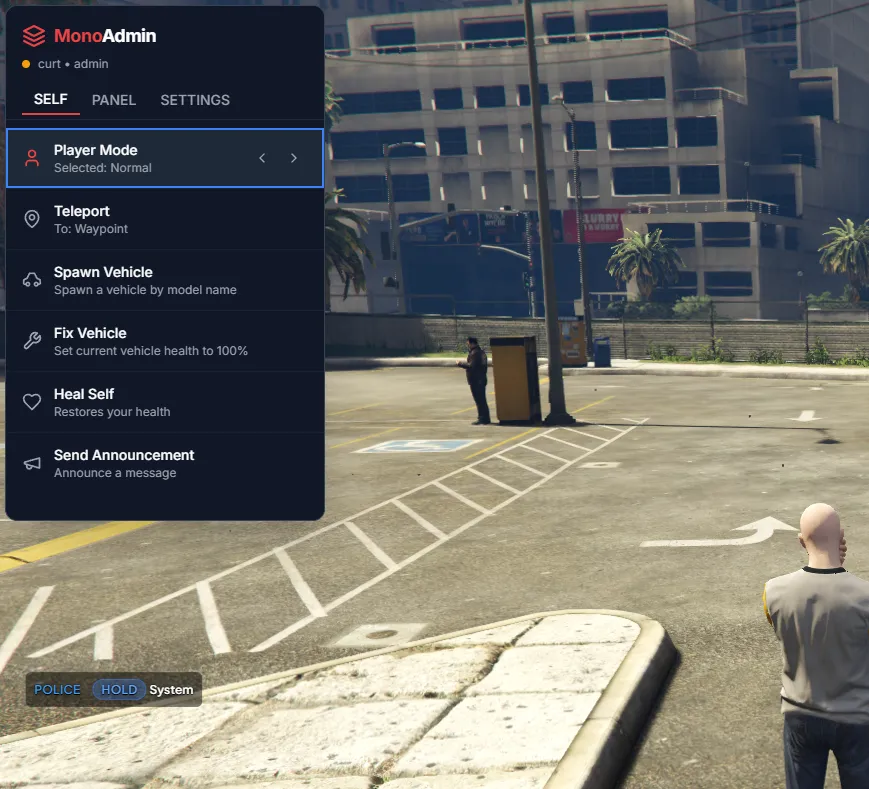
Player Mode
Section titled “Player Mode”The Player Mode selector allows you to quickly toggle powerful staff utilities:
| Mode | Description |
|---|---|
| Noclip | Fly through the world and pass through solid objects. |
| Freecam | Detach your camera from your player to observe the world from any angle. |
| Heal | Instantly restores your health, hunger, and thirst to 100%. |
| God Mode | Prevents your character from taking any damage. |
| Super Jump | DRAMATICALLY increases your jump height and distance. |
Quick Actions
Section titled “Quick Actions”- Teleport — Instantly move to your current map waypoint.
- Spawn Vehicle — Spawn any vehicle by its model name.
- Fix Vehicle — Repair your current vehicle to 100% health.
- Heal Self — A quick-access button for the heal function.
- Send Announcement — Broadcast a message to all players on the server.
Panel Tab (Dashboard)
Section titled “Panel Tab (Dashboard)”The Panel tab provides an integrated view of your server’s live data.
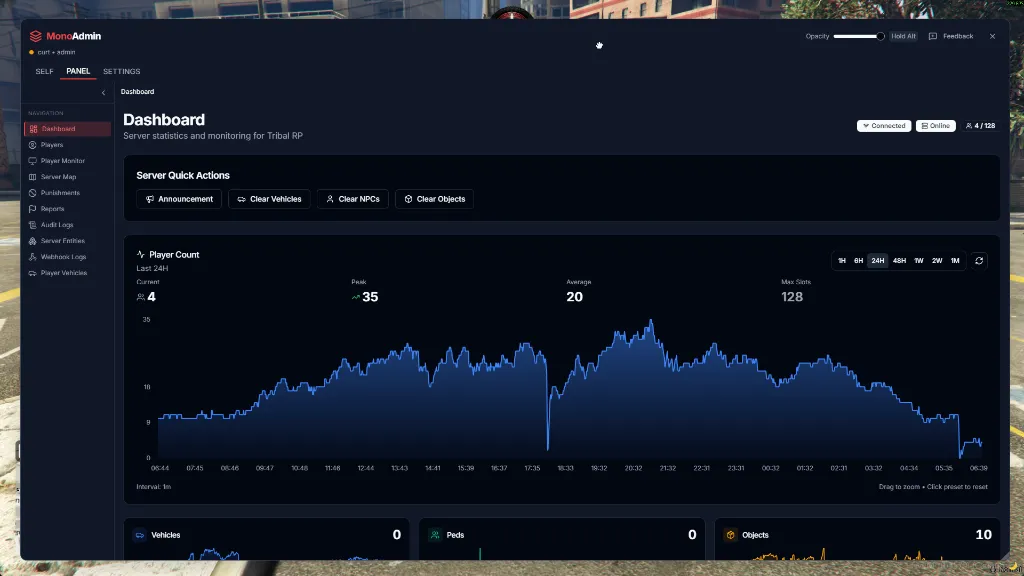
- Live Stats — View real-time player counts and server performance metrics.
- Server Quick Actions — Access “Clear” tools (Vehicles, NPCs, Objects) to maintain server performance.
- Opacity Control — Use the slider in the top right to adjust the menu’s transparency, allowing you to keep it open while still seeing the game world.
Panel Tab (Players)
Section titled “Panel Tab (Players)”The Players section of the panel tab allows for rapid management of individuals currently online.
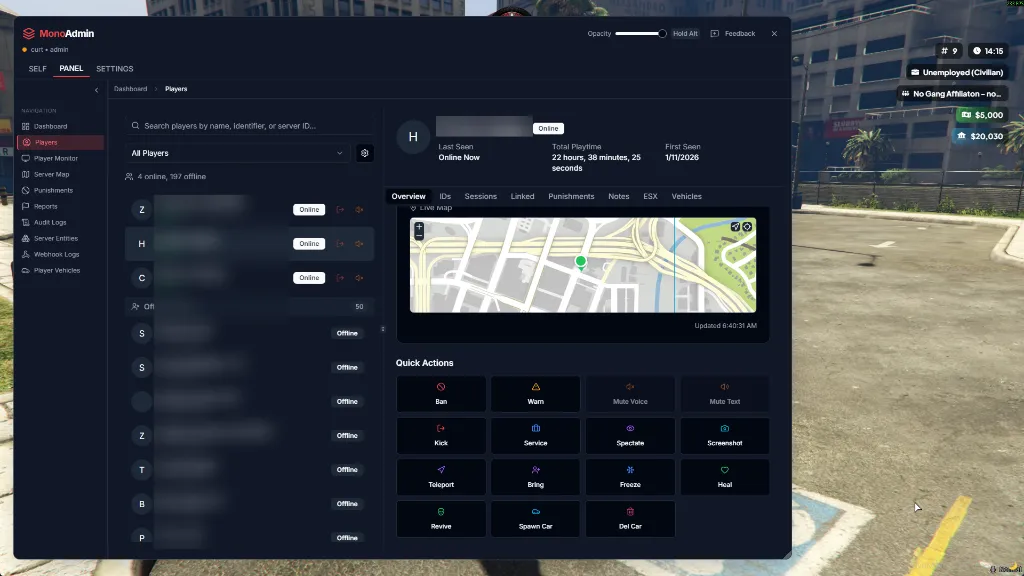
Select any player from the list to view their detailed information and perform Quick Actions:
- Spectate — Watch the player’s perspective in real-time.
- Screenshot — Capture a live screenshot of the player’s game window.
- Teleport / Bring — Move to the player’s location or bring them to yours.
- Freeze — Prevent the player from moving.
- Heal / Revive — Restore the player’s health or bring them back from a “downed” state.
- Ban / Kick / Warn — Issue punishments directly from the interface.
- Spawn / Del Car — Manage vehicles associated with the player.