
Server Entities
View and manage all spawned entities on your server including vehicles, peds, and objects.
The Server Entities page gives you a comprehensive overview of every entity currently spawned in your world. This is essential for performance monitoring and manual cleanup of lag-inducing entities.
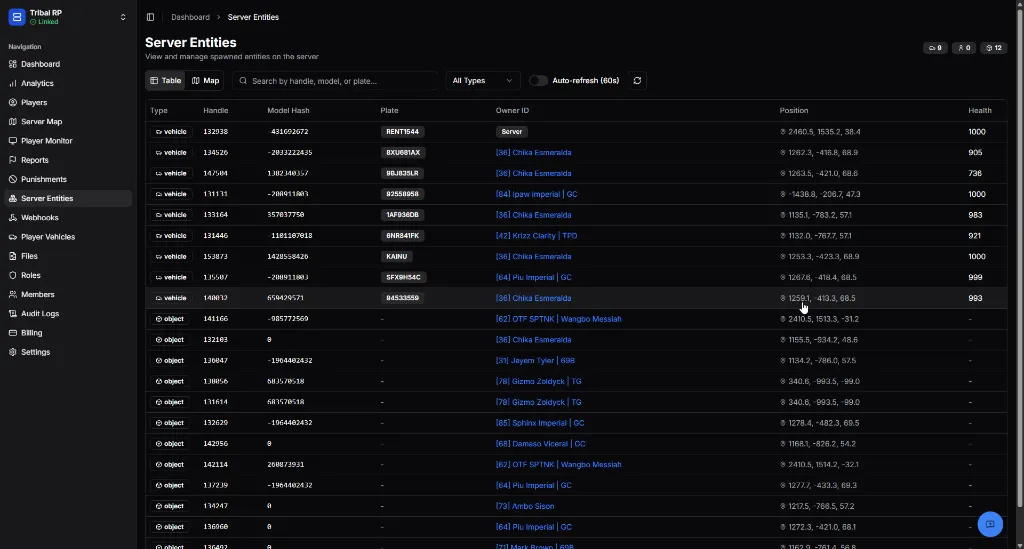
Overview Statistics
Section titled “Overview Statistics”In the top right corner, you can see live counts for:
- 🚗 Vehicles
- 👤 Peds (NPCs/Players)
- 📦 Objects
Table View
Section titled “Table View”The default view provides a filterable list of all entities.
Entity Attributes
Section titled “Entity Attributes”| Field | Description |
|---|---|
| Type | The category of entity (vehicle, ped, or object). |
| Handle | The unique internal ID allocated by the server. |
| Model Hash | The internal model ID for the asset. |
| Plate | (Vehicles only) The license plate text. |
| Owner ID | The player ID who owns or is responsible for the entity. |
| Position | The X, Y, Z coordinates in the world. |
| Health | The current health status (e.g., 1000 for full health). |
Search & Filter
Section titled “Search & Filter”- Search Bar — Search by handle, model hash, owner name, or plate.
- Type Filter — Quickly isolate Vehicles, Peds, or Objects.
- Auto-refresh (60s) — Automatically update the list to reflect live server state.
Map View
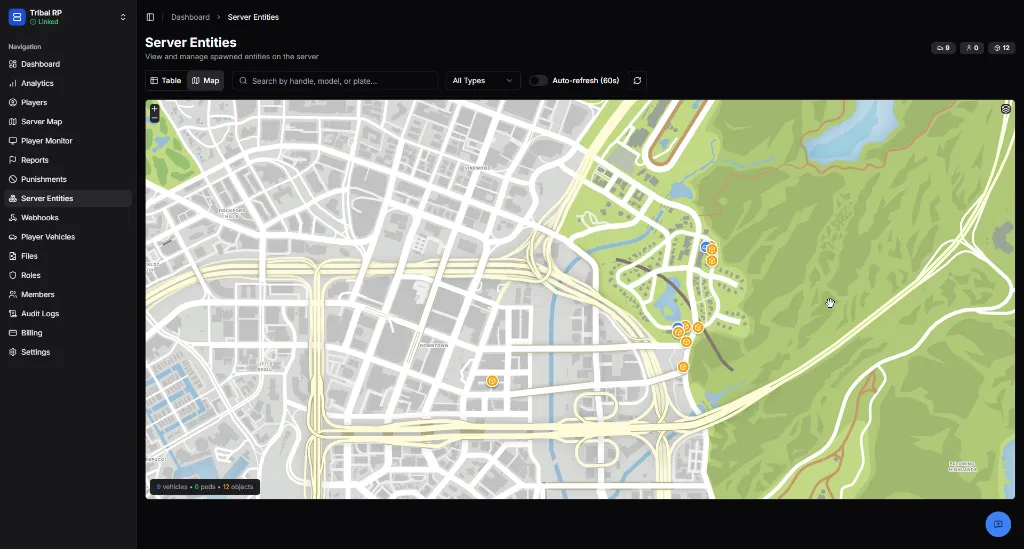
Section titled “Map View”Switch to the Map tab to see precisely where entities are located in the world.
Map Features
Section titled “Map Features”- Live Clustering — Entities are grouped when zoomed out to maintain map performance.
- Marker Coding — Markers are colored and icon-coded based on the entity type.
- Interaction — Click any marker to view its specific details and handle.
Usage & Management
Section titled “Usage & Management”This interface is the most powerful tool for:
- Identifying Lag — Find clusters of hundreds of objects or NPCs in one location.
- Deleting Entities — Staff can remove specific entities directly from the table or map.
- Investigation — Tracking down a specific vehicle model or plate mentioned in a report.
- Ownership Tracking — Seeing exactly which player spawned or is controlling a specific object.